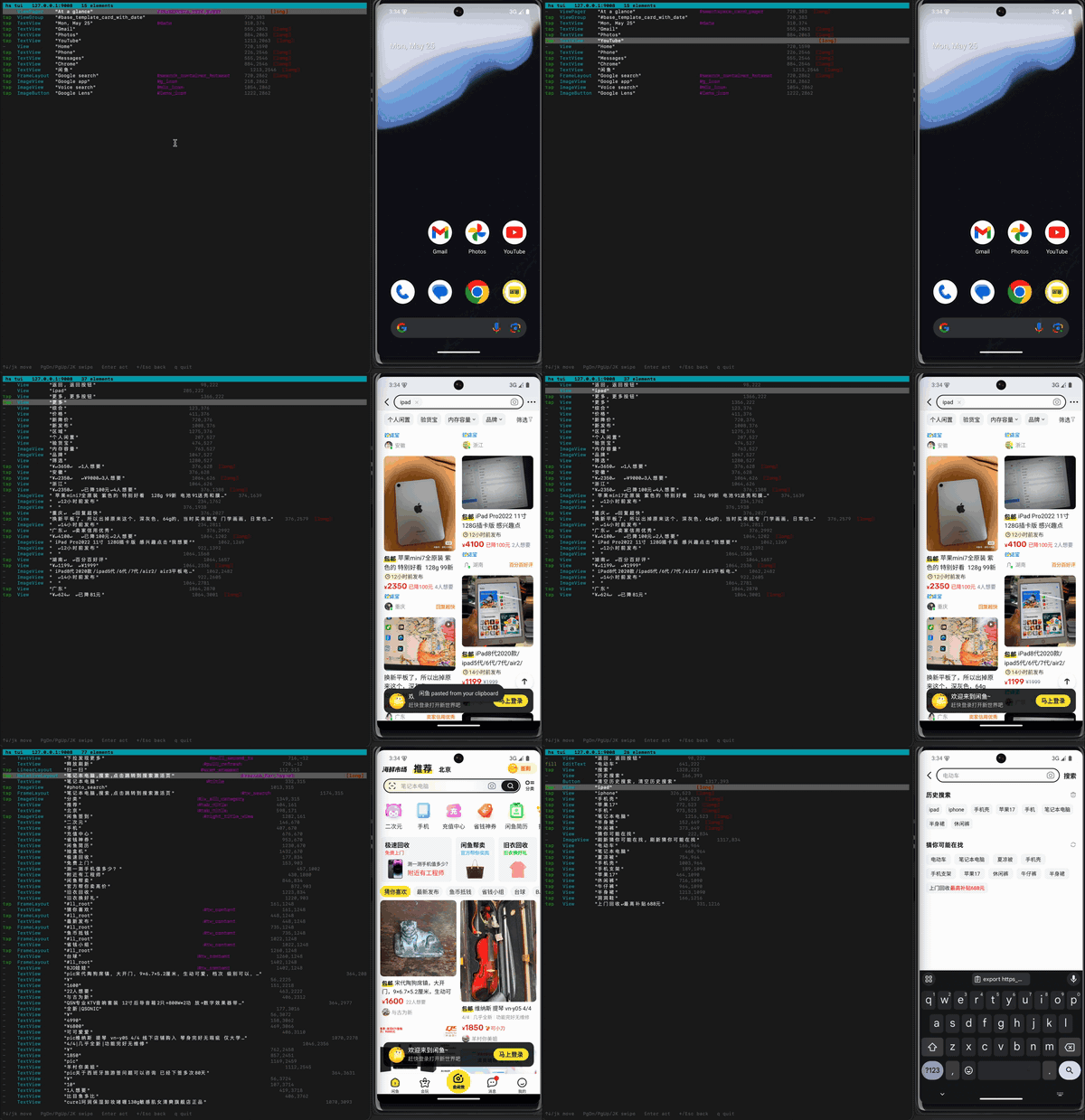
Or you can use a visual tool, which is easier to explore but often separate from the thing you later automate.
hs tui is the missing middle: a terminal UI that lets you drive an Android app from the keyboard while showing the same action rows you would put in a script.
It is not a remote desktop. It is not a recorder. It is a live, keyboard-driven inspector for Android's interactive UI.
The usual command-line way to tap Android is coordinates:
adbshellinputtap540860
That works, but it is not what you mean.
You mean:
tap"Continue"
A good Android automation script should say that directly. It should find the visible button, tap its center, and fail clearly if the button is missing or ambiguous.
Appium is the default answer for mobile automation.
It is mature, cross-platform, WebDriver-compatible, and supported by a large ecosystem. If a QA team needs one framework for Android and iOS, reports, Selenium-style infrastructure, and cloud device farms, Appium is usually the right place to start.
Handsets solves a smaller problem.
It is an Android-only CLI for driving phones from shell scripts, Python, or LLM agents. It does not try to be a test-management platform. It tries to make tap, fill, wait, screenshots, and UI inspection fast enough that the automation layer disappears from the critical path.
The short version:
Use Appium when you need a full cross-platform mobile test framework.
Use Handsets when you need fast Android UI control from the command line, especially for tap-heavy scripts and LLM agents.
If you searched for "Handsets vs Appium" or "Appium alternative for Android automation", the practical answer is this: Appium is the safer default for broad QA infrastructure, while Handsets is the sharper tool for Android-only automation where speed, scripting, and prompt size matter.
The best Android automation script is usually not clever.
It opens the app, taps the thing a human would tap, types the thing a human would type, and waits for the screen a human would recognize.
You can do that without rooting the phone.
For many app workflows, root is a distraction. You do not need filesystem access to the app sandbox. You do not need to patch the OS. You need a reliable way to say:
You do not need Appium for every Android automation task.
Appium is the right tool when you need a full WebDriver-based mobile testing framework. But many Android workflows are smaller than that. You may only need to open an app, tap visible buttons, type into fields, wait for a result, and collect a screenshot on failure.
For those jobs, a CLI can be enough.
Handsets lets you automate Android from the terminal without root and without installing a visible helper app on the phone.
You do not need root to control an Android phone from a computer.
You need adb, USB debugging, and a tool that talks to the device through the permissions Android already gives the shell user.
That is the boring answer. It is also the useful one.
Root is a big hammer. It changes the device. It breaks warranty assumptions. It makes test devices different from the phones your users actually carry. For most automation work, you do not want that. You want to tap buttons, type into fields, wait for screens, take screenshots, and move on with your day.
It never has, as long as the device allows debugging or sideloading. For development and testing, the normal path is adb install. It talks to Android's package manager through the permissions already available to the shell user.
Handsets keeps that workflow close to the rest of your device automation:
hsinstallapp-debug.apk
The useful part is what happens after install. You can launch the app, wait for the first screen, and verify that the UI is actually alive.